
Exploring · via MCP
Composio: one connection between your AI and your apps

ChatGPT and Claude can already reach some apps on their own. The pain starts when you want more than that. Each assistant has its own connector list, its own login flow, and its own plan limits, and the app you need is rarely on every list. Wire Gmail into one assistant and you still have to wire it into the next one.
Composio sits in the middle as one shared connection point. You ask your assistant for something real, the assistant passes the request to Composio through MCP (the standard protocol for AI tools), and Composio makes the actual call to the app and brings back the result in a form the model can use. It also manages your logins in the background, so you connect an app once instead of repeating the setup in every compatible assistant you use.
Why it earns a spot
- Connect an app once, then use it from Claude, ChatGPT, Cursor, and other assistants that can reach an MCP server. Each client still has its own transport, sign in, and plan rules.
- More than 1,000 apps behind one connection: Gmail, Notion, Slack, GitHub, Linear, HubSpot, and the rest.
- The first time the assistant needs an app, Composio hands you an approval link in your browser. After you approve, Composio stores and refreshes the login for you, until you revoke it or the app lets it expire.
How to set it up
ChatGPT. Turn on Developer mode in settings (this needs a paid plan), add Composio as a custom MCP server with its connection URL, then switch it on inside each chat where you want it.
Claude. Add the same URL as a custom connector and sign in. Every Claude plan allows custom connectors, and the free plan allows one. Claude Code skips the connector route and uses the Composio plugin instead.
What it could do, end to end
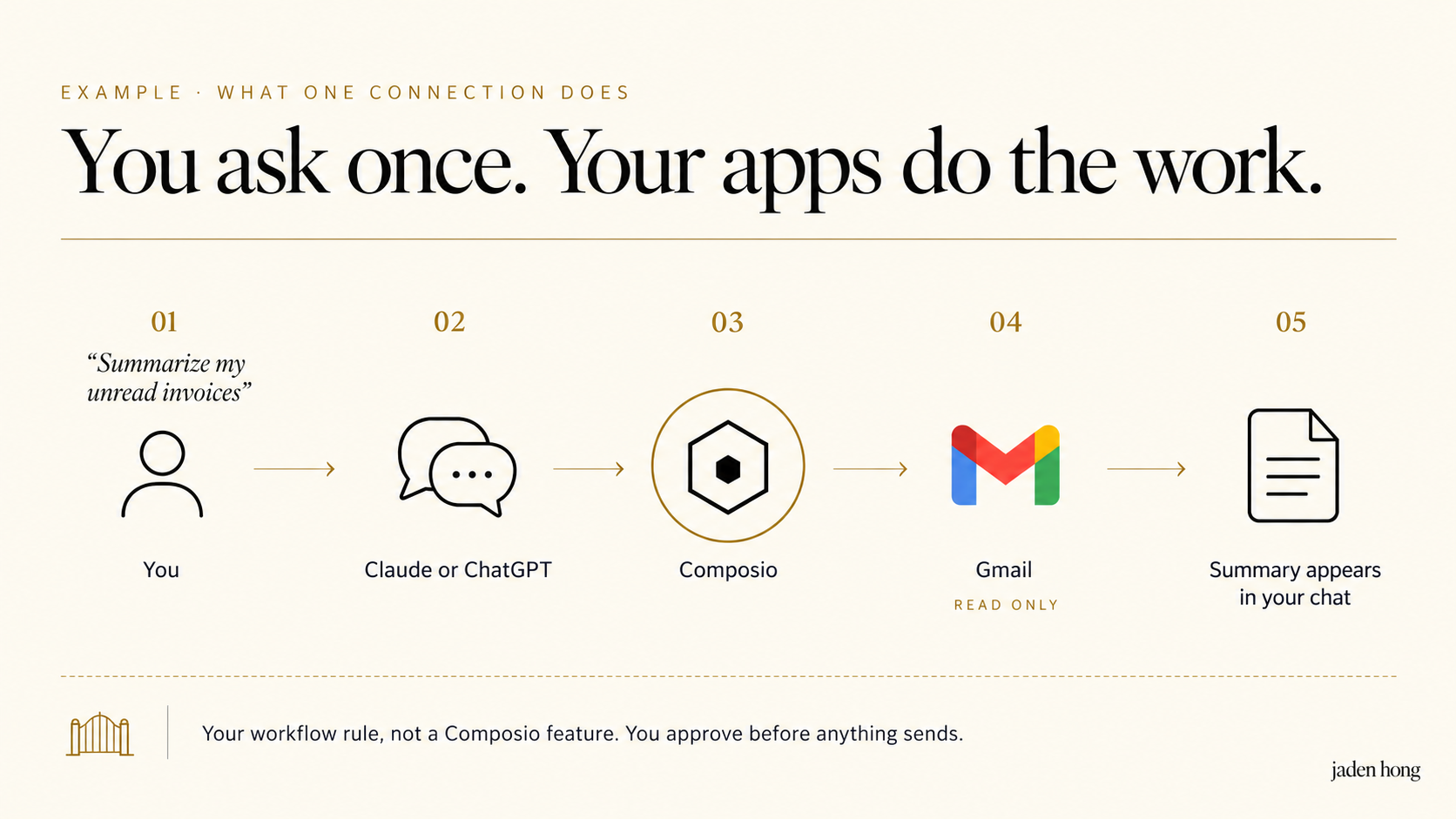
Illustrative example, not a test I ran: a read only inbox summary. The approval step is my workflow rule, not a Composio feature. Tap an image to open it full size.
The part to watch
Actions run as you. If Claude sends an email through Composio, that email went out from you. Same for deletes, edits, and invites. So keep your own approval step for anything with side effects, and read what you actually granted: the Composio dashboard lists each connected account with the exact permissions you handed over. You can cut an app off there, or inside the app itself, and the connection stops working until you reconnect.
One connection does not mean identical access everywhere. Each app grants its own permissions, each assistant has its own plan limits, and Composio's free tier has its own monthly caps. Worth five minutes in the dashboard before you let an agent loose.
AI does the job, humans orchestrate. This is what orchestration looks like in practice: your assistant gets hands, you keep the keys.

Tap an image to open it full size.