Blog
MausBot vs Cue, Plus Heyclicky: Five New Names on My AI Stack
MausBot is a free open source home for a whole bot team. Cue gives every agent its own phone, email, wallet and computer. And Heyclicky might be the simplest way to use AI yet. What each one does well, what it costs, and how my Grokbots can move over.

I added five new names to my AI stack: MausBot, Cue, Heyclicky, Kimi and DeepSeek. The first three answer the same question I keep asking: where should my bots actually live, and how plain can using AI get? The other two were models, the brains those bots can run on. DeepSeek is no longer on the stack; Pickle has replaced it.
They sound similar. They are not.
-
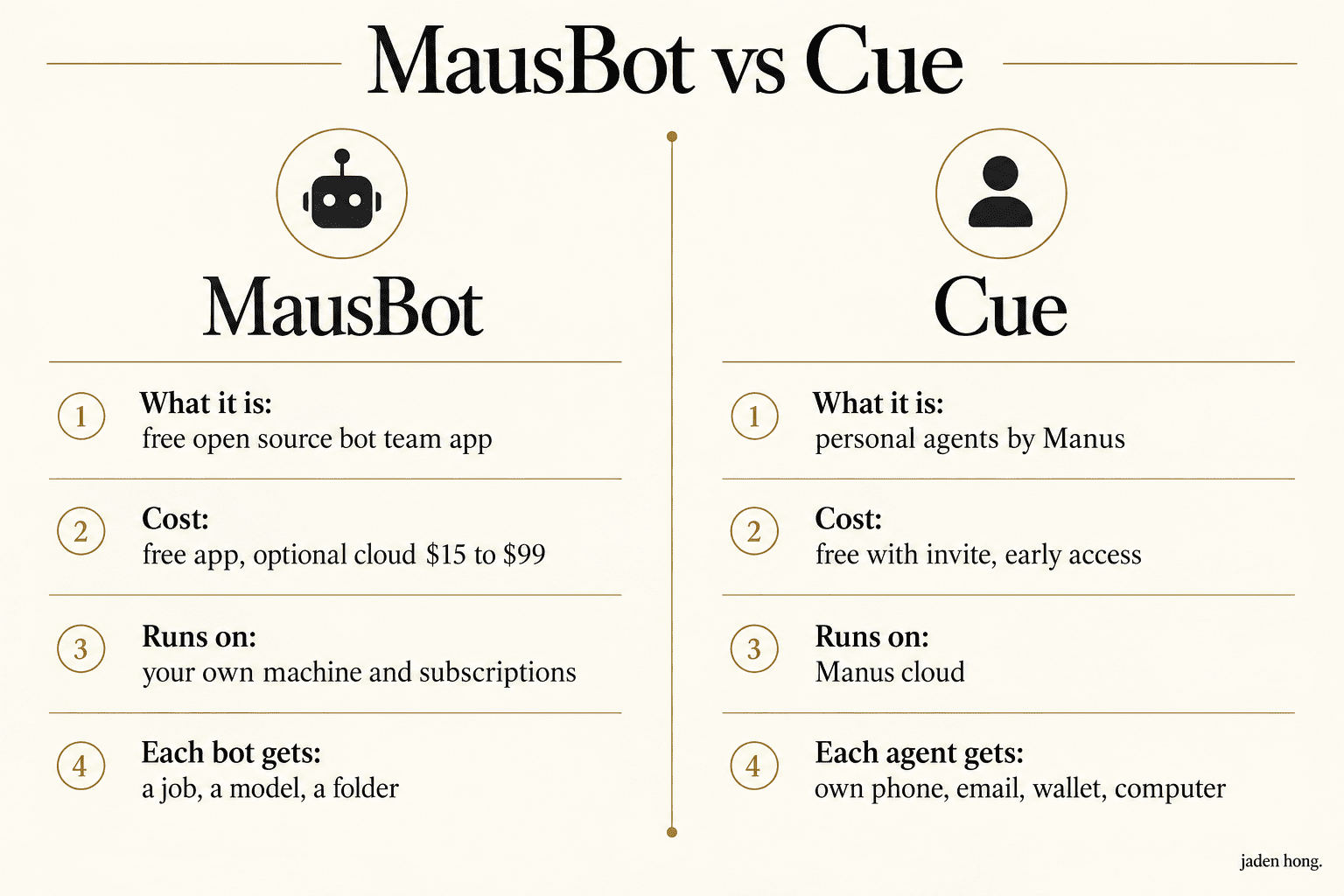
MausBot: a free, open source desktop app that runs a whole team of bots on your own machine, using the AI subscriptions you already pay for.
-
Cue: a new app from Manus where every agent gets its own phone number, email address, wallet and cloud computer.
-
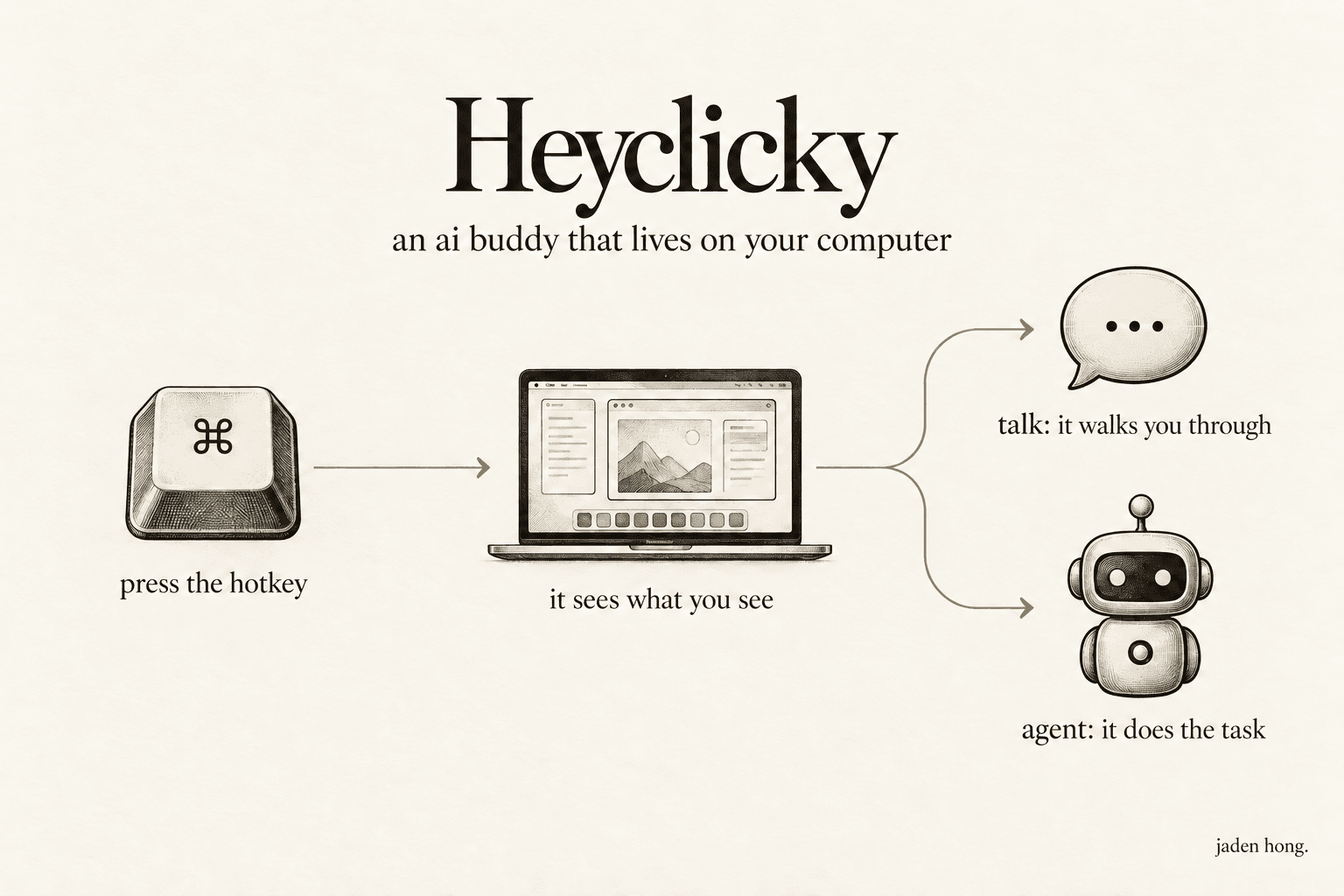
Heyclicky: an AI buddy that lives on your Mac or Windows PC. Press the hotkey and it sees your screen, so you can ask out loud instead of typing prompts.
-
Kimi: Moonshot AI's assistant and model family, built for very long documents and agentic jobs.
-
DeepSeek: I added it as free chat on flagship open models, on web and mobile, with only the developer API costing money. It is no longer on the stack; Pickle has replaced it.
MausBot: the pros and cons
What I like. The app is free and open source (Apache 2.0). It runs on subscriptions you already pay for: pick a different brain per bot, Claude, Codex, Grok, Kimi and more, and switch mid conversation. It is local first, so transcripts and keys stay on your own disk by default. Connected apps go through Composio: connect Gmail, Slack, GitHub or Notion once and every bot can use them. Automations start from one sentence, on a schedule, on a webhook, or when something happens in Gmail, Slack, HubSpot or Stripe.
Where it falls short. The free app means your computer does the work, and when it sleeps, your bots sleep. Always on bots need a paid Cloud plan ($15 to $99 a month, as of November 2026) or a server you run yourself. Model usage is still billed by your provider, and a busy bot team eats subscription limits fast; I know that from my own weekly meter. Setup is more hands on than a hosted service, and approvals depend on the engine you pick, so not every action pauses for your yes. Start bots on small tasks.
Cue: the pros and cons
What I like. The identity idea is real. An agent that answers calls, sends email from its own address and pays from its own wallet can finish an errand, not just plan it. It is built for life admin: bookings, appointments, repairs, watching for a cancelled slot and grabbing it. Agents can work as a team in one group chat and hand work to each other while you set the direction. And it is free in early access with an invite code, on web, desktop and mobile.
Where it falls short. It is invite only for now, and early access pricing will not last: the app store listing already shows paid tiers, a paid cloud computer and paid phone numbers, with no clear billing details yet. Everything runs in Manus's cloud, not on your machine. The wallet and phone belong to the agent, not to you, so budget caps and permissions do a lot of work, and a cap limits the size of a wrong payment rather than stopping it. It is aimed at personal errands more than a business bot team that needs files, repos and code. And there is no official way to bring an existing bot in.
Heyclicky: why this one is so useful
Most of AI still makes you stop, open a chat box and describe what you are looking at. Heyclicky skips all of that.
-
No prompt writing. Press the hotkey and it already sees your screen, so you just ask out loud. "Walk me through this" works while you are inside the actual app, form or design tool.
-
Two modes. Talk mode guides you step by step through whatever is on your screen. Say "Heyclicky agent" and it does the task for you, including long jobs that keep going until they finish.
-
No integrations to wire up. Because it watches the screen you already have, it works inside any app on day one.
-
A plain privacy model. It only sees your screen when you press the hotkey, screenshots are never stored, and you can delete your data in settings.
-
Free to start on Mac and Windows, and it answers in more than 130 languages.
Where it falls short: it is an early product, the free tier has monthly message limits, and it helps one person at one computer rather than running a team of bots.
Kimi on the stack, and DeepSeek, which I later replaced
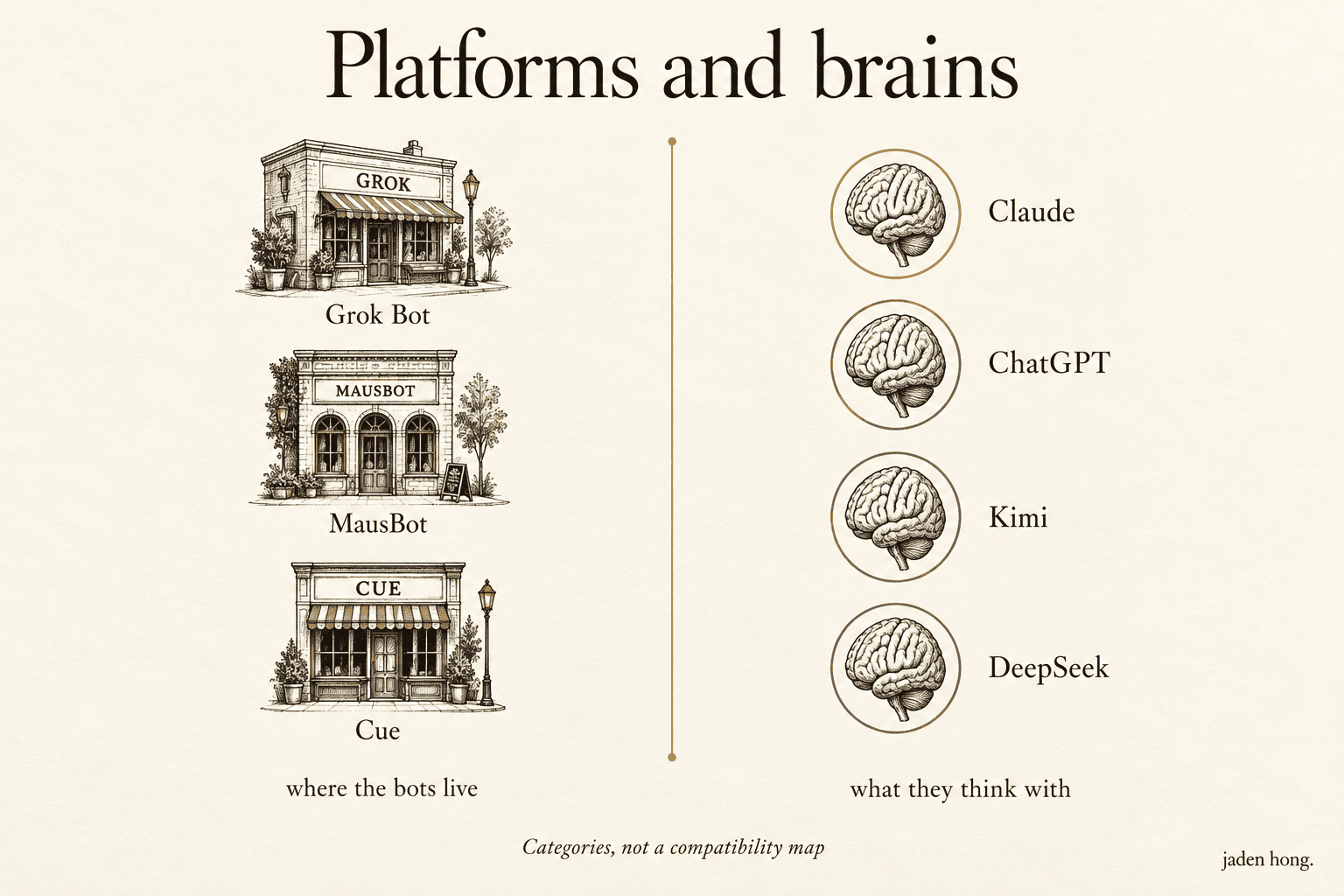
The platforms above need models to think with. Kimi is still on the stack as a model those bots can run on. DeepSeek was the other; it is no longer on the stack.
Kimi (Moonshot AI). What it does well: very long documents and agentic jobs, scheduled tasks, parallel subtasks, code, across the web app, Kimi Work and Kimi Code. There is a free tier, and MausBot can already pick Kimi as a bot's brain. Where it falls short: usage is limited on free, one agent task at a time; the headroom, top speed and million token chats sit behind paid plans at $15 to $159 a month, billed annually, as of November 2026.
DeepSeek. I added it with Kimi as a model those bots can run on. What it does well: the chat on web and mobile is free, the model weights are published openly for self hosting, and the only paid product is the developer API, billed per token. Where it falls short: there is no paid plan to upgrade to when it gets busy, and guides naming the older R1 and V3 models describe a superseded generation. It is no longer on my stack; Pickle has replaced it.
How I run my bots across the three platforms
This is my real setup. Grok Bot still runs the original business bot teams: the site builder, the ops manager, the content writers, all the roles I have been building here. I am trying MausBot and Cue alongside it. MausBot is a desktop app, so a bot team runs on your own machine, on top of the subscriptions you already pay for. In Cue I run the office style setup: a main assistant coordinating specialist agents in one group chat.
Business details are blacked out. The platforms and the work are real.

Moving my Grokbots over
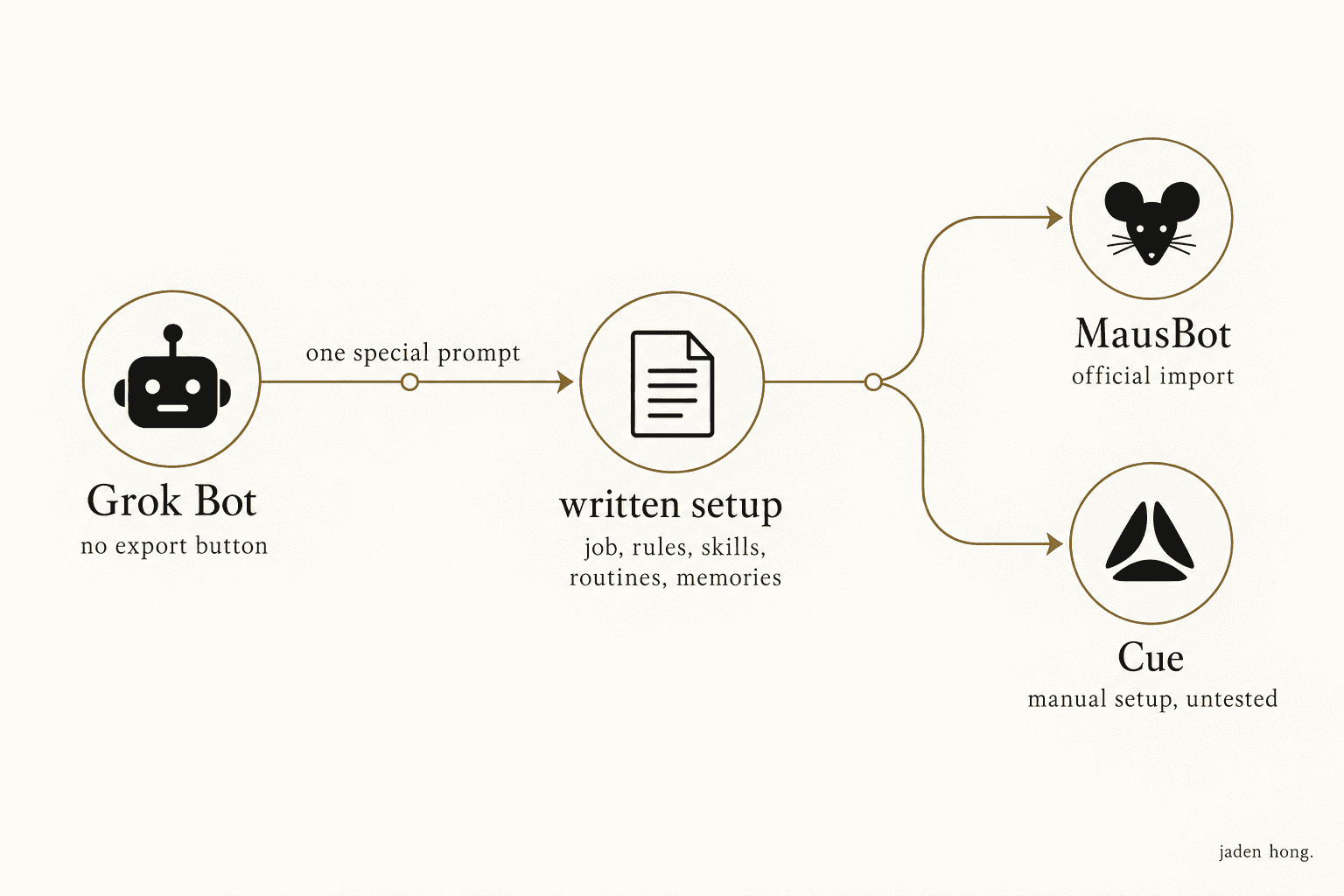
Here is the part most people miss. Grok Bot has no export button, but your bots can still move.
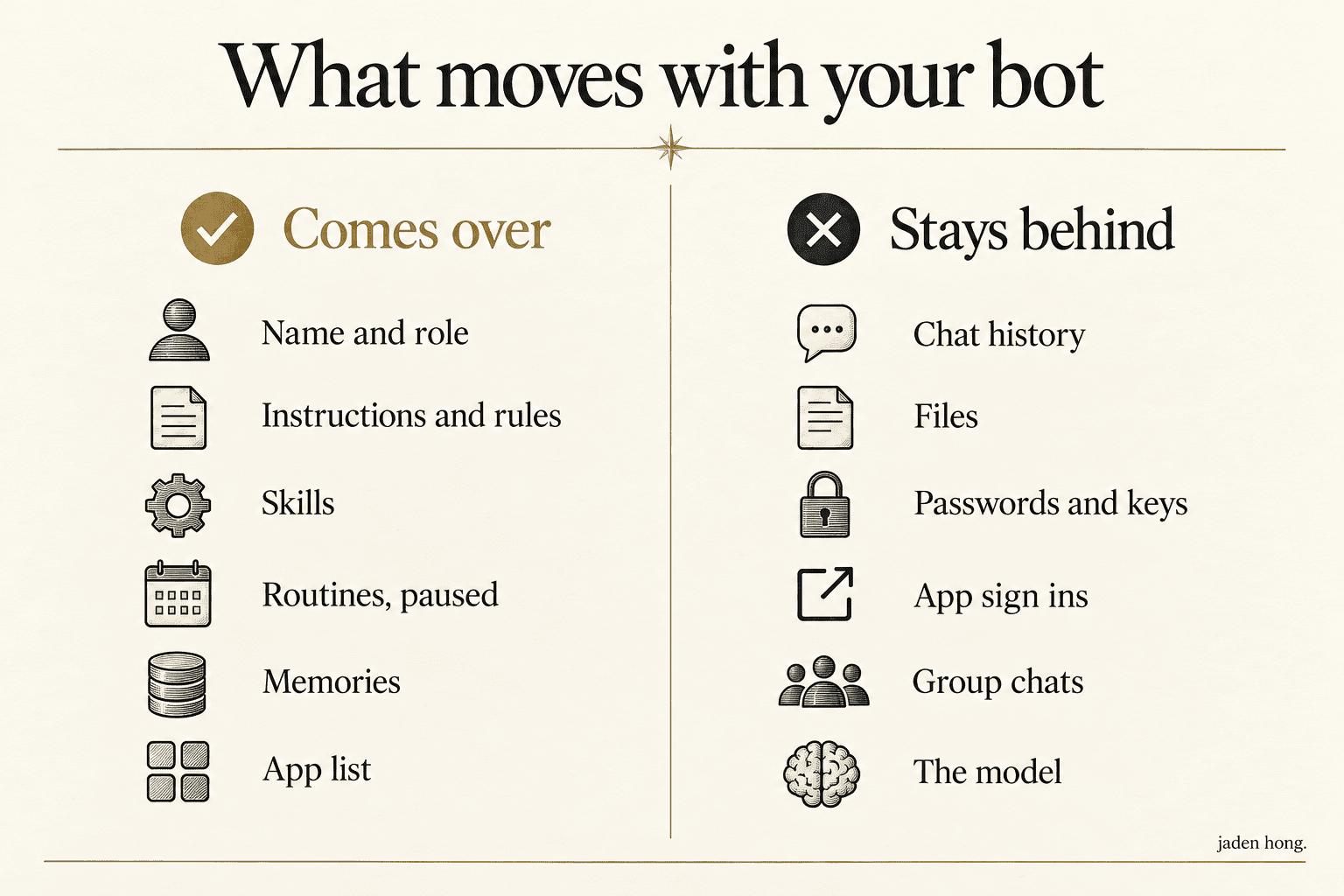
You send each bot one special prompt. The bot writes down its own setup: its name, its job, its rules, skills, routines, memories and the apps it used. That written setup is the moving box.
-
Into MausBot, the import is official. Settings, Import, Move from Grok Bot. Instructions, skills, routines (they arrive paused, so nothing runs twice) and memories all come over. Chats, files, passwords and app sign ins do not. You reconnect the apps and pick each bot's model after the move, which is also the upgrade: a bot that was Grok only can now run on Claude or Codex.
-
Into Cue, there is no import. The same written setup becomes the brief you give a new Cue agent, so the job, rules and memory carry over by hand. That part is still manual, and the identity pieces (phone, email, wallet, computer) are always new, never moved.
Want the exact prompt I use? Email me at contact@jadenhong.io and I will send it over.
My take
MausBot looks suited to a work bot team, because it can use existing subscriptions. Cue is the one to watch for personal errands once it opens up. Heyclicky is the one I would hand to a friend who finds AI intimidating, because there is nothing to learn: you press a key and ask.
Different jobs, same direction: the bots move closer to where the work already is.
Sources
Read next
Blog
One AI Agent for Each Side of My Life
I am trying Pickle on both of my phones, one personal and one business, with Cue as the comparison. First, what each one actually is.
Blog
Grok Bot vs Muse vs Dots vs Claude Duet: Four Always-On Agents, Compared
Grok Bot, Muse, Dots and Claude Duet all launched within ten weeks. What each always-on agent does, what it costs, and how to start small.
Blog
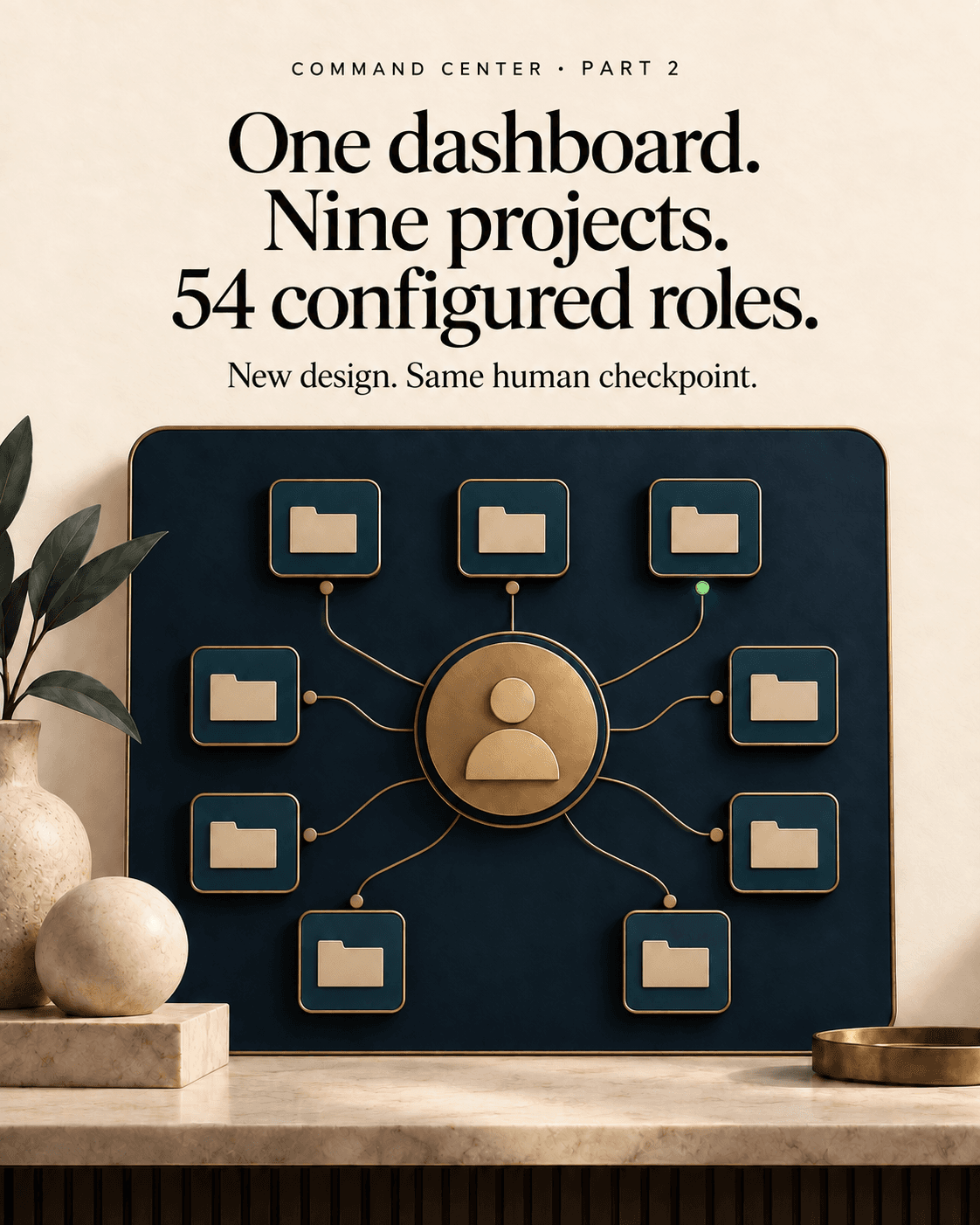
One dashboard, nine projects: 54 roles configured, one of two workers online (Part 2)
A new design. The same human checkpoint.