Blog
One dashboard, nine projects: 54 roles configured, one of two workers online (Part 2)
A new design. The same human checkpoint.
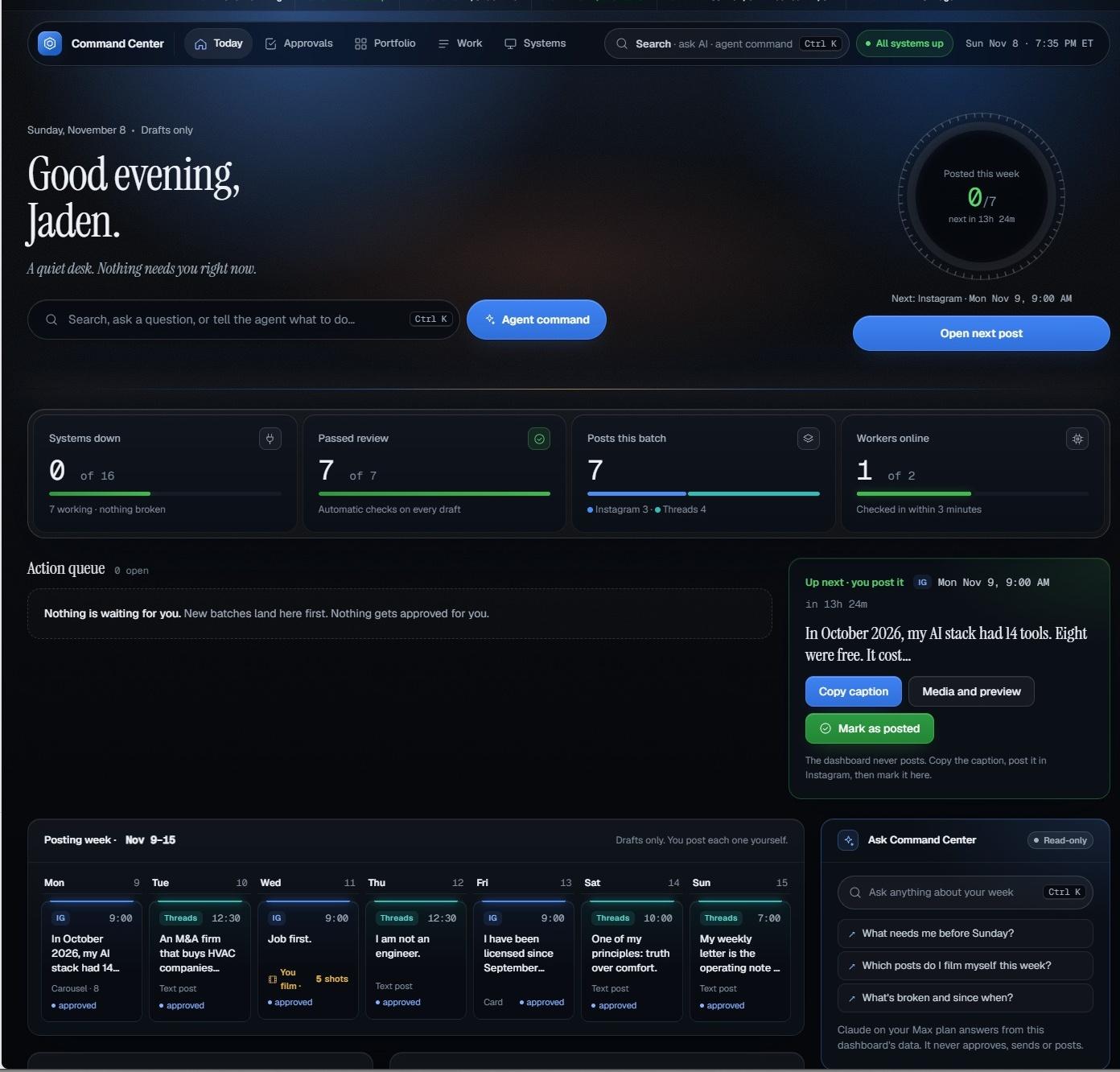
Real dashboard screenshot, supplied November 8. Cropped for privacy.
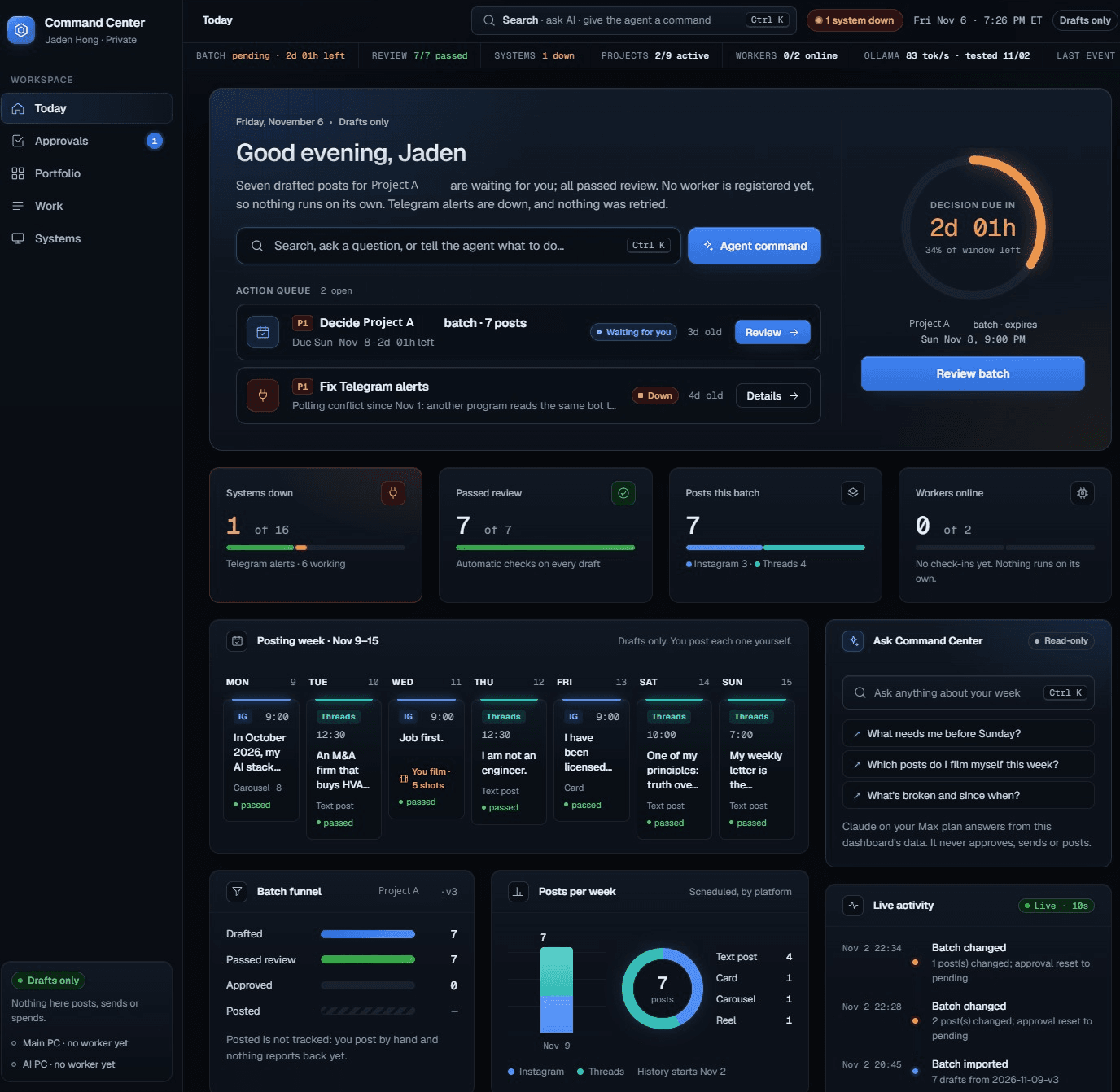
Part 1 showed the first version of my private Command Center. This is the new dashboard, with a clearer Today page, a posting week, a portfolio view and a place to ask questions.
The design is new. The boundary has not changed: the dashboard prepares work. I decide what leaves it.
Start with the real screen
The November 8 screenshot shows seven posts in the batch and seven that passed review. The batch funnel also shows seven approved and zero marked posted. One of two workers is online. Two of nine projects are active.
Those are different counts. An approved draft is not a published post. An active project is not a finished business. An online worker is not proof that every tool works.
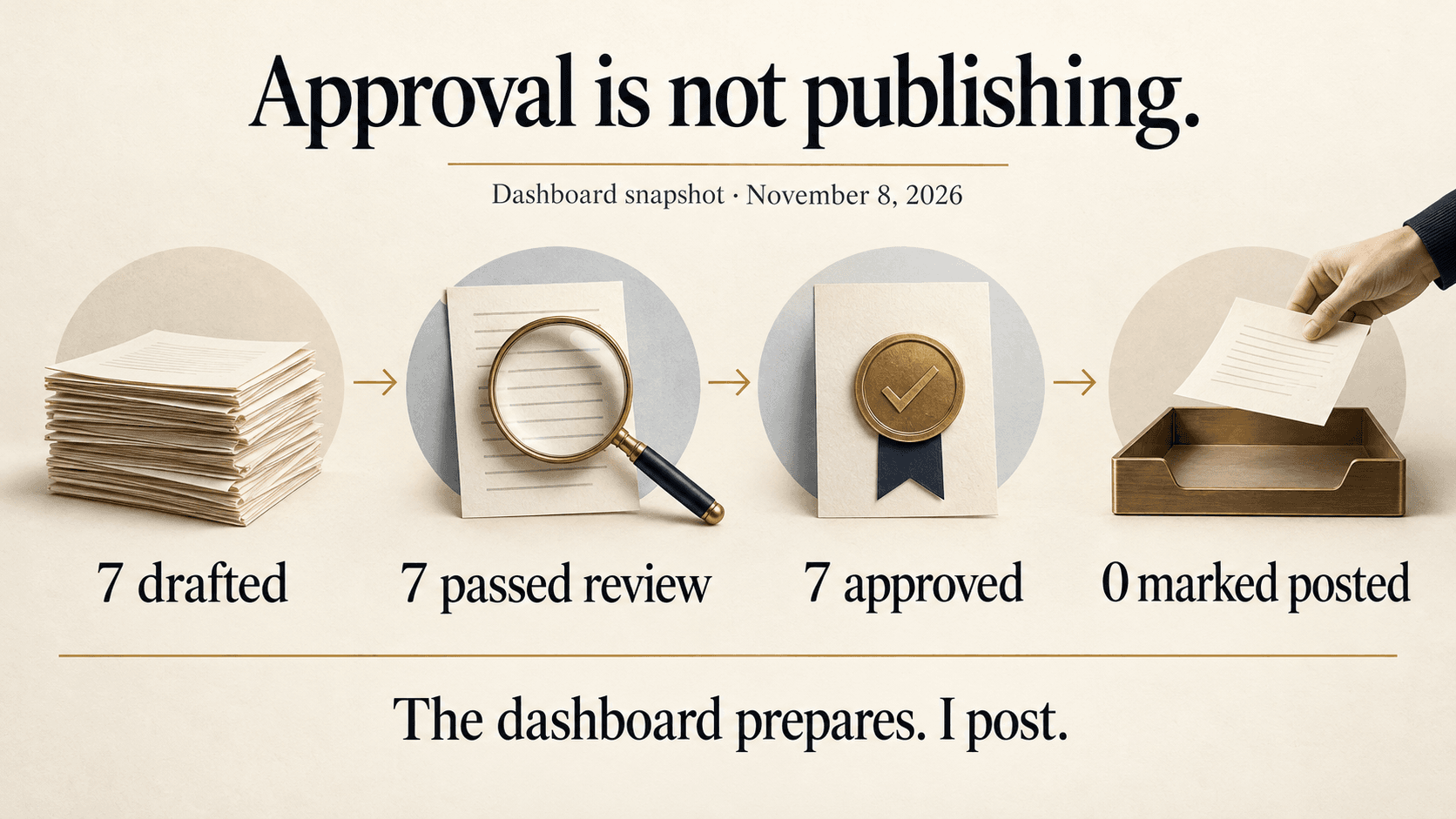
Illustration of the November 8 batch funnel. Not an additional dashboard screen.
The next action is visible
The Today page puts the next post beside the weekly calendar. It shows the platform, the time and the draft. The next post panel has three plain actions: copy the caption, open the media and preview, and mark it as posted.
The important line sits below them: the dashboard never posts. I copy the caption, publish it myself and mark it here. The calendar is a plan, not proof that anything went out.
Ask is separate from act
The search overlay does two jobs. Search jumps to a page. Ask opens a read only answer from the dashboard data.
That is not the same as running work. The overlay says it never approves, rejects, sends or posts. Agent jobs still wait for approval. A useful answer does not get permission to become an action.
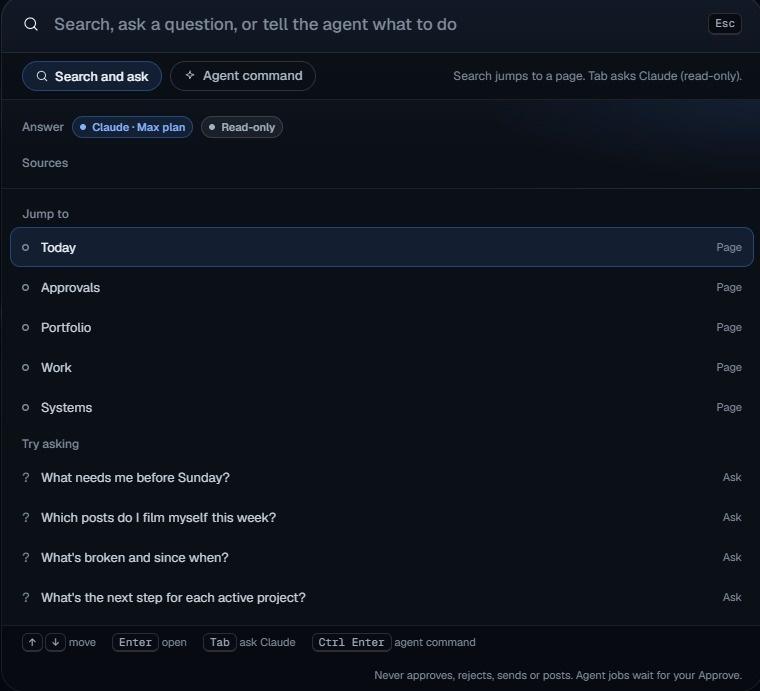
Real search and Ask overlay. Answers do not approve, send or post.
Nine projects does not mean nine projects running
The portfolio keeps different stages in the same view. Two projects are active. The others include exploratory work, an investment, later work and items still waiting.
The screenshot also says cost and hours are not tracked yet. So there is no savings claim here. I cannot use a cleaner screen as evidence of time saved or money made.
The 54 in the title comes from Part 1: six configured agent roles for each of nine projects. These new screenshots do not establish that 54 agents are running. They show one worker online. The AI PC says no worker yet.
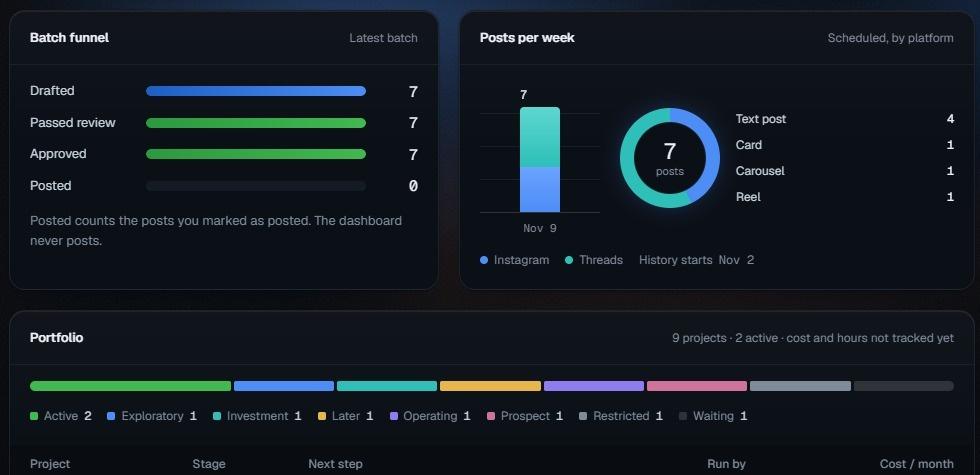
Real portfolio summary. Private project rows are omitted.
A green status still needs context
Today looks calm. The Systems page is more specific: its statuses come from the November 2 inventory, and the dashboard has not tested them itself.
The main PC is marked online. The AI PC says no worker yet. That is the level of detail I want beside a green status. Installed, signed in, tested and working are not interchangeable.
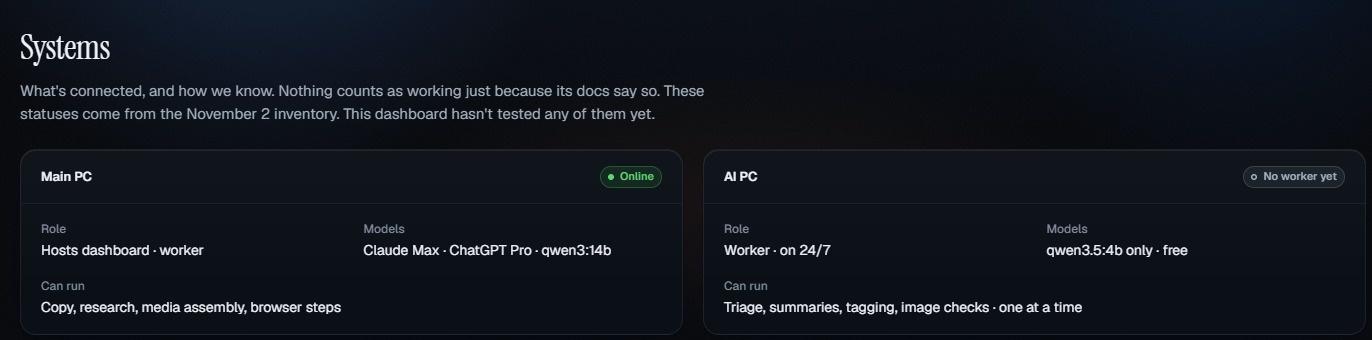
Real Systems page. The inventory is not a live test. Private inventory rows are omitted.
What changed
The redesign makes the next decision easier to find. The calendar shows what is planned. The funnel separates drafted, reviewed, approved and marked posted. Search and Ask have their own boundary. The portfolio shows stages without pretending every project is active.
This is still a system in progress, not a claim that the whole business runs itself.
The screen can get smarter. The approval stays with me.
Snapshot supplied November 8, 2026. Screenshots are cropped for privacy. Private project details and operational identifiers are omitted. Diagram and cover art are illustrations, not extra dashboard screens.
Sources
Read next
Blog
One dashboard, nine projects: 54 roles configured, workers offline
I am building a private command center that runs my nine projects from one screen, with 54 agent roles configured across the teams and a CEO bot in testing on top. Here is the honest picture of where it stands.
Blog
One AI Agent for Each Side of My Life
I am trying Pickle on both of my phones, one personal and one business, with Cue as the comparison. First, what each one actually is.

Blog
MausBot vs Cue, Plus Heyclicky: Five New Names on My AI Stack
MausBot is a free open source home for a whole bot team. Cue gives every agent its own phone, email, wallet and computer. And Heyclicky might be the simplest way to use AI yet. What each one does well, what it costs, and how my Grokbots can move over.